


PAINTOMIC APP · PHONE + TABLET
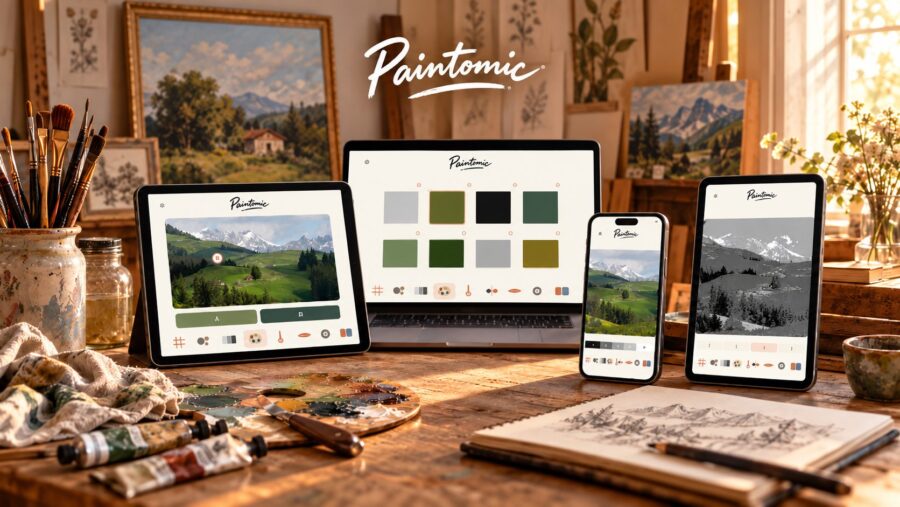
Paintomic helps you observe, measure and compare while you paint from life or in the studio. Use the screen for a quick check, then return your eyes to the real subject.
Available in six languages: Spanish, English, French, Italian, German and Chinese. You can choose the language inside the app.
Android · iPhone · iPad
Download Paintomic now from the App Store or Google Play.
Start with a photograph from the camera or your photo library. Crop it square, horizontal, vertical or free, zoom until the composition feels right, then use only the check you need.
Before painting you can make subtle reference adjustments, compare with the original, and save the resulting reference image back to the device.
Painting modes
Oil · Watercolor · Gouache · Pencil · Mixed media
Each tool isolates one visual problem so you can make a clearer painting decision without turning the app into the painting.
Check placement, proportion and major divisions.
Simplify the subject into large, medium or small shapes.
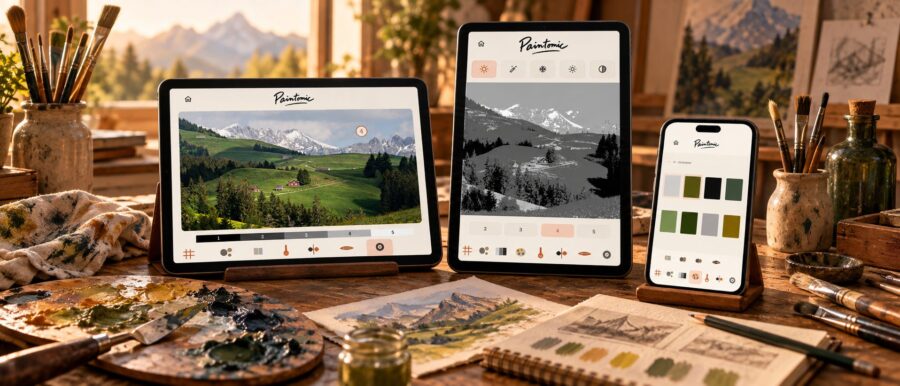
Reduce the image to a value structure from 2 to 5 steps.
Build reduced, vivid, warm, cool or custom image color selections. Use My palette separately for your named physical paints.
Separate warmer and cooler passages at a glance.
Flip the reference to catch proportion and drawing errors.
Blur detail and reveal dominant shapes and values.
Tap a point and read its value on a simple scale.
Study in black-and-white, warm or cool monochrome.
Compare two colors by lightness, temperature and saturation.
Explore the color balance of a reference, study one color and build a palette from the paints you use. The easel tool also helps you prepare your working position.
Choose Basic, Zorn or Custom to work with named physical paint colors. Custom starts with the Basic colors: add or remove paints by name to match your own palette. Available for Oil, Gouache and Mixed media. Use this palette when exploring how to mix a color.
Explore the colors detected in your reference and their relative amounts. See which colors occupy larger or smaller areas, then use that balance to plan your painting. These proportions describe the image, rather than how much paint to mix.
Select a color in the image to study it individually, then use the suggested paint mixture and its proportions as a starting point. Choose the physical palette you want to mix with. Test a small amount on your real palette and adjust as you paint.
Open Preferences, then Easel and Level easel. Place your phone or tablet securely against the easel or drawing board to read its balance and inclination. Adjust the setup using the bubble level and angle scale, then choose an inclination that suits your technique.
Paintomic is available now. See the App Store or Google Play for the current version and device requirements.
Designed for phones and larger tablet screens.
Start from a new photograph or choose an existing image.
Square, horizontal, vertical and free crop with zoom.
The reference adapts to portrait and landscape use.
Save the adjusted reference image back to the device.
Available for Android, iPhone and iPad
Discover Paintomic’s observation tools, key ideas, features and the story behind the app. Our press dossiers are available in English and Spanish for magazines, journalists and painters.
Paintomic is built to support observation, not replace it.
Available for iPhone, iPad and Android. Check the App Store or Google Play for current versions and compatibility.
Use the app on your own, then take it outside with other artists.
Questions about Paintomic? Find help and learn how we handle your data.