
Education Support
Resources and practical support for artists, teachers and students.
Digital tools. Real studio practice.
Paintomic gives teachers a visual way to explain the foundations of drawing and painting. Explore a reference together, isolate one visual question, then put that insight into practice with pencil, brush and paint.
For art schools, arts high schools, fine arts faculties, academies and independent teachers.
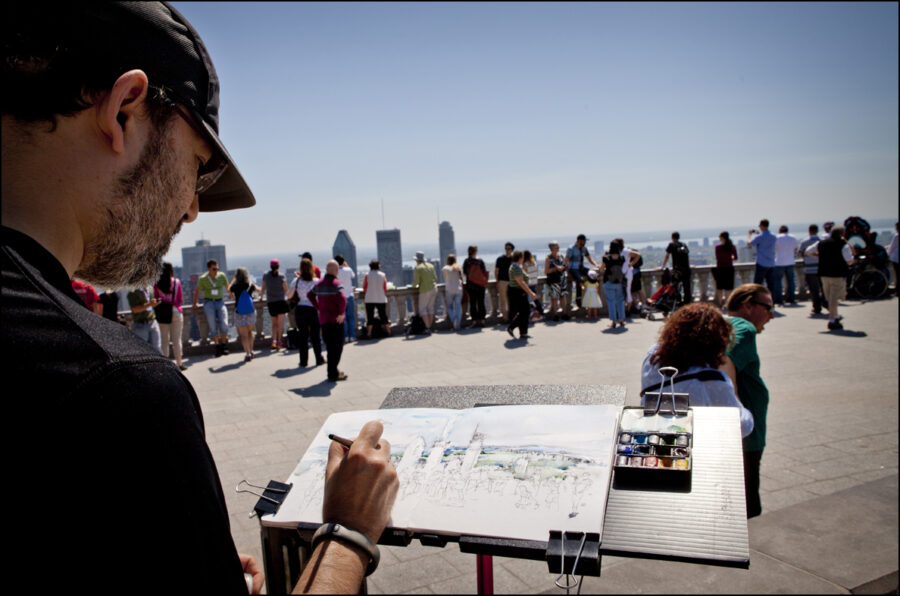
Make the fundamentals visible
Values & light
Reduce a reference to 2–5 value steps. Help students identify light and shadow before starting a tonal study.
Colour & temperature
Explore reduced palettes and compare warm and cool passages. Use the analysis as a starting point for mixing real paint.
Proportion & composition
Use the grid to compare placement and proportions. Try different crops and discuss how the framing changes the picture.
Masses & simplification
Break a complex subject into larger shapes. Plan a clear study before moving on to smaller forms and details.
Connect color analysis with real paint
These tools can turn a reference into practical exercises in color balance, paint mixing and studio setup.
Build a real paint palette
Ask students to choose Basic, Zorn or Custom in My palette. Add or remove named paints to match the materials available for an Oil, Gouache or Mixed media exercise.
Read the color balance
Use Image colors to compare the relative amounts of colors in a reference. Discuss the dominant color and smaller accents, then make a study with the same balance.
Study one color, then mix it
Select a color in the reference and explore the suggested mixture and proportions. Have students mix a small sample with real paint, compare it with the reference and adjust it.
Prepare the easel
Open Preferences and Level easel to check balance and inclination. Compare working positions and choose an angle suited to the technique used in class.
A simple exercise for your next class
01 · Observe
Set up a still life. Ask students to sketch the main shapes and predict the lightest and darkest areas.
02 · Compare
Photograph the subject and use Values or Masses. Discuss what the analysis reveals and compare it with the first sketches.
03 · Paint
Return to the subject and make a small painting. Review the choices together and encourage students to explain what they see.
Adapt it to your teaching: observational drawing, still life, plein air, illustration and painting workshops.
One app, six languages
Spanish · English · French · Italian · German · Chinese
Students and teachers can choose their language inside the app. Designed for phones and tablets, with Android, iPhone and iPad versions in preparation for public release.
Education discounts for schools & teachers
Bring Paintomic into your teaching with an education discount. Tell us about your school or teaching practice and how many people would use the app.
We will reply with the available discount and conditions for your needs. You can register your interest now, ahead of the public launch.
Questions? Visit Paintomic Support. Your enquiry does not commit you to a purchase.